Best Spirit Level App for iPhone and Android (2026)
The best spirit level app right now is Spirit Level Pro. It runs in the browser on any iPhone or Android phone with no download. You get a bubble vial you can read at a glance, audio that guides you to level by ear, five tolerance presets, and a proper calibration routine. I put it up against the built-in phone levels and a handful of App Store apps. For day-to-day trade and DIY work, nothing else I tried held up as well.
Key Takeaways
- A modern phone accelerometer resolves angles well under 0.1°, which is fine for shelves, tiles, cabinets, and door frames.
- Spirit Level Pro runs in your browser as a PWA. Open it, grant sensor permission, and you are leveling in seconds.
- Proximity audio (beeps that speed up as you close in on level) is the feature that turns a decent app into one you keep using.
- Built-in phone levels like Apple Measure have no calibration and no audio feedback. Both matter once you do real work.
- The free tier covers everyday use. A one-time $10 upgrade adds the measurement journal, photo proof, and PDF reports.
What makes a good spirit level app?
Most free level apps just draw a bubble on a screen. The ones worth using do five things well: they read angles accurately, they guide you by sound, they handle both flat and vertical surfaces, they let you calibrate, and they work with no signal. A phone accelerometer can resolve angles finer than a hair, but that resolution is wasted if the app gives you no way to zero out the sensor's built-in bias.
Accuracy and calibration
Resolution is only the ceiling. What you actually get depends on calibrating out the offset that every accelerometer carries from the factory. Calibrate a phone and it will hold about ±0.3° in real use. Skip that step and it can drift half a degree to a degree and a half, even on expensive hardware.
A precision machinist level is far tighter than any phone, on the order of a few thousandths of a degree over a short span. A phone will never touch that. But for hanging a shelf, setting cabinet bases, or tiling a floor, half a degree is plenty, and a calibrated phone hits that every time.
Audio feedback
Audio is where a level app earns its place. When one hand is holding a shelf against the wall, you cannot watch a screen. Proximity audio solves that. The beeps change pitch and speed as you close in on level, so you work by ear and keep your eyes on the job. It sounds like a small thing. It changes how you use the tool.
Measurement modes and offline use
Flat work like countertops, floors, and appliances needs two axes at once, pitch and roll. Vertical work like walls, posts, and door frames needs only one. An app with a single mode makes you do the math in your head. Offline matters too. Plenty of jobs happen in a basement or an empty property with no signal, so an app that keeps working with the internet gone is one less thing to worry about.
The best spirit level app: Spirit Level Pro
Spirit Level Pro gets the basics right and then adds what tradespeople actually ask for. I have leaned on it across tiling jobs, kitchen installs, picture hanging, and fence posts. A clean bubble vial, audio guidance that holds up on both iOS and Android, and a two-point calibration routine put it ahead of everything else I tested.
It is a progressive web app, so it runs in your phone's browser with nothing to download. Open spiritlevel.pro, tap Allow on the sensor prompt, and you are measuring in about five seconds. Add it to your home screen if you like, and a service worker keeps it working offline after that first visit.
Bubble vial interface and modes
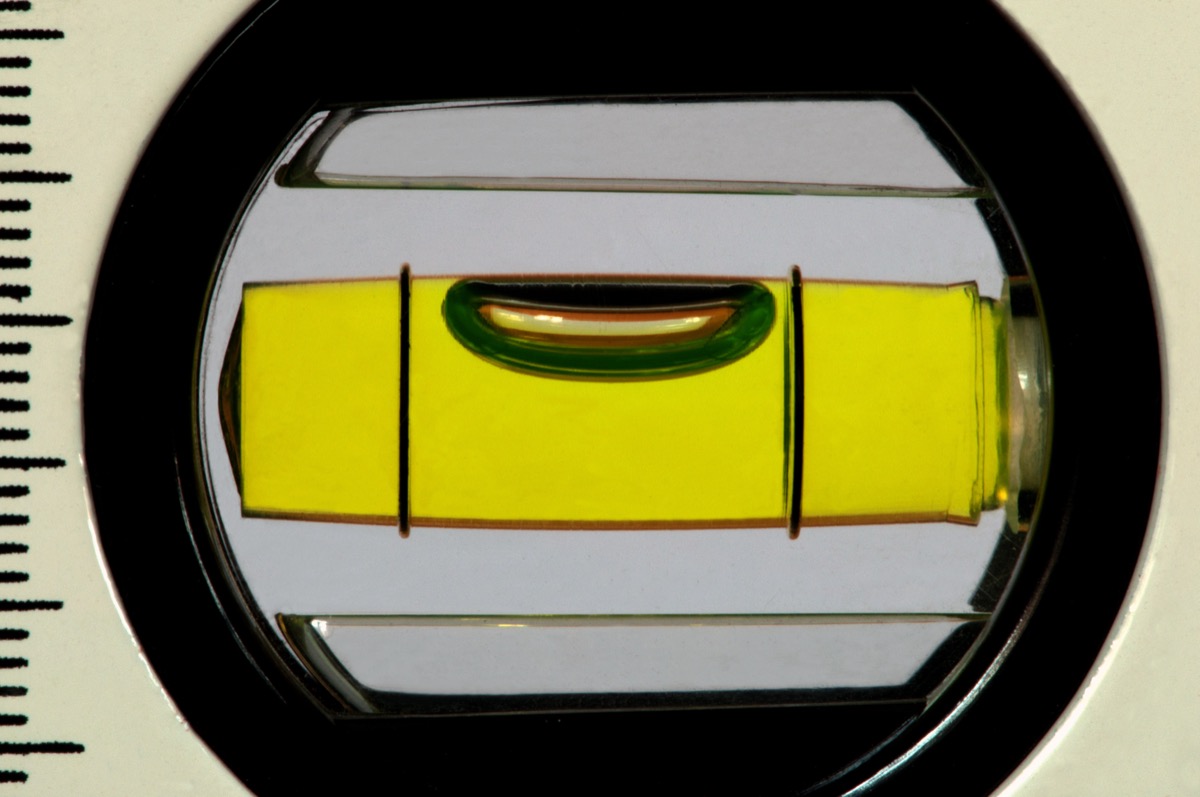
The screen shows a round bubble vial for Surface mode (pitch and roll) and a tall rectangular vial for Plumb mode (vertical surfaces). The bubble tracks the sensor in real time, smoothed with a moving average so hand tremor does not make it jitter, and without the lag you get from heavier filtering. The pitch and roll numbers sit right below the vial and update on every frame.
Surface mode is the default. Use it to check that a countertop, an appliance, or a slab is flat in both directions at once. Switch to Plumb mode for anything vertical, a fence post, a door frame, a wall. It is one tap between them. Most jobs need both, and the switch is quick enough that you never lose your place.
Proximity audio guidance
This is what sets Spirit Level Pro apart. The audio maps how far you are from level to a beep interval and a note on the C major scale. Way off, and you get slow, low beeps. Closer, and they speed up and climb in pitch. At level, the beeps run into a steady tone. It takes about half a minute to get the feel of it.
I have hung a run of kitchen wall cabinets on audio alone. Both hands stayed on the cabinet, and nobody had to stand there watching a screen for me. The tone went steady, I called for a screw, and that was it. That is the difference a good audio guide makes on a real job.
Tolerance presets
Five presets match how tight different trades work: General ±0.5° (the default, good for most DIY), Framing ±1.0° (rough carpentry), Finish ±0.3° (joinery and fitted furniture), Tile ±0.2° (floor and wall tiling), and Precision ±0.1° (appliances and stone). The audio zones scale with the preset, so the beeps still guide you correctly when you tighten the tolerance.
Calibration, hold, and slope units
Two-point calibration cancels the sensor offset. Set the phone on a flat surface, tap Calibrate, spin it 180°, and tap again. The app averages the two readings and zeroes out the bias. In my testing a phone that read 0.7° on a known-flat surface came back to 0.0° and stayed there.
Hold/Freeze (a Pro feature) locks the current reading with a tap on the vial. Handy when you are craned into an awkward spot and need to read the number before you move. Target Angle (also Pro) lets you set a non-zero target, say 2° for a drainage fall or 1.5° for a ramp, so level detection and audio fire at your target instead of zero. Slope units turn the readout into %, mm/m, in/ft, a 1:N ratio, or roof pitch, all from the same underlying degree value.
Pro features: journal, photos, and reports
The Pro tier ($10, paid once) adds the measurement journal. Save each reading with a project name, a label, an optional photo, and GPS if you want it. Pull the project list up later, export it to CSV, or generate a print-ready PDF for a client or a building inspector. The PDF is the feature most trades tell me they upgrade for. A site report that used to take twenty minutes to write up by hand now comes out in a couple of seconds.
Try Spirit Level Pro free — no download, no account needed.
Open Spirit Level ProHow accurate are phone spirit level apps?
Phone accelerometers are better than most people assume. Current phones, flagship and mid-range alike, resolve angles below 0.1° when conditions are good. What holds them back is sensor offset and thermal drift, not resolution, and calibration handles both.
Here is what that means on the wall. A run of kitchen cabinets set 1° out of level ends up noticeably off along its length, enough to show as a wedge where the doors meet the worktop. Hold it to half a degree, which a calibrated phone does comfortably, and that gap all but disappears, well inside what the hinge plates can adjust out. For cabinets, flooring, and most finish work, a phone is a real tool.
Where a phone cannot compete is precision engineering and surveying. A machinist's level works to a few thousandths of a degree over a short span, dozens of times tighter than a phone will ever manage. If you are setting a machine bed or doing structural survey work, reach for a certified instrument. For everything else, a calibrated phone does the job.
What affects phone level accuracy?
Temperature is the big one. Accelerometer bias moves with heat, so a phone that has been baking on a dashboard reads differently from one at room temperature. A thick or uneven case can wedge the phone by a fraction of a degree, which shows up most with rugged cases. Vibration from machinery or passing traffic adds noise that the smoothing has to filter out.
Some phones combine the accelerometer with gyroscope data for extra stability. Spirit Level Pro sticks with a plain moving average instead. That keeps the response fast and the reading calm, and for a static measurement it is all you need.
Spirit Level Pro vs the built-in phone level
Both platforms ship some kind of level, but neither was built for trade work. Google dropped the standalone bubble level from its app on Pixel phones a few years back, and it now survives only as a tile in older Android builds or third-party launchers. Apple's Measure app, on the iPhone 6s and later, has a level feature, but it is a plain single-axis readout with no calibration, no audio, and no tolerance settings.
Apple Measure app level
Apple's level shows one degree figure and flips color at zero. It works. For a quick is-this-shelf-roughly-straight check, it is fine. But there is no two-axis mode, no calibration, no audio, and no way to set a tolerance or a target angle. You cannot freeze a reading, and there is no journal. It is a readout, not a tool.
Leaving calibration out is a deliberate choice, not a bug. Apple keeps Measure simple on purpose. The catch is that once you take more than a measurement or two, you have no way to zero the sensor, so the readings can sit half a degree to a degree and a half off with nothing you can do about it.
Google's built-in level
Android is more of a patchwork. Samsung's Toolbox has a level on Galaxy phones. The stock equivalent depends on the maker. Pixel phones no longer ship a dedicated level tool. Most Android users end up on a third-party Play Store app instead, and the quality is all over the place.
Neither Google nor Apple gives you audio guidance, tolerance presets, or a journal. For a one-off check they are handy enough. Use one repeatedly on a job and the gaps show fast.
Who should pay for a spirit level app?
Most people never need to. The free tier of Spirit Level Pro covers the bubble vial, proximity audio, both modes, tolerance presets, calibration, and offline use. That is enough for hanging pictures, checking appliances, and most weekend jobs. If that is you, stay free.
The $10 upgrade earns its keep once you are measuring the same thing over and over and need a record of it. A tiler checking dozens of floor tiles across a bathroom. A carpenter fitting cabinets who has to show a client the readings. A maintenance contractor running site to site who has to hand in a report at each one. The journal, photo proof, GPS tagging, and PDF export are built for exactly that.
Casual DIYers
For the odd job, the free tier is complete. Hang a few shelves, check the washing machine sits flat, see if a door frame is plumb. The audio works without paying. So does calibration. You do not need the upgrade to get accurate, hands-free readings.
Tradespeople and serious DIYers
Tilers, joiners, cabinet fitters, and maintenance contractors get real use out of the Pro side. Save readings by project, attach a photo of the surface, tag a before and after, and export a PDF, and a phone level becomes a way to document the work. At $10 once, no subscription, it pays for itself on the first proper job.
How to get the most accuracy from your phone level
Good readings from a phone come down to a few habits. Calibration alone closes most of the gap between a phone and a bench level. Do it properly and a calibrated phone will read within about ±0.2° of a trusted reference on a flat surface.
Run the two-point calibration routine
This is the step that matters most. Set the phone on the flattest thing you have, a piece of float glass or a countertop you already trust. Tap Calibrate. Turn the phone 180°, swapping left for right rather than flipping it over. Tap again. The app averages the two readings and cancels the offset in both directions. Redo it whenever you change the case or notice the readings wandering.
Take the case off
A thick or uneven case wedges the phone. A couple of millimeters of height difference across its width works out to roughly a third of a degree of permanent offset, enough to bite on finish carpentry or tiling. If you cannot take the case off, calibrate with it on so the offset gets zeroed anyway.
Let the phone reach room temperature
Accelerometer bias shifts with heat. A phone straight out of a hot car or off a sunny sill reads differently until it settles at room temperature. Give it five minutes coming in from the cold or the heat before you trust a fine reading. It matters most on the Precision preset and barely at all on General or Framing.
Hold still and rest it on the surface
Set the phone flat against what you are measuring instead of holding it in mid-air. Your hand adds tremor the filter then has to fight. Rest it on a cabinet door or slide it along a countertop edge and the sensor gets a steady input and a cleaner reading. On a still surface the average settles in a second or two.
Frequently asked questions
Are phone spirit level apps accurate enough for real work?
Yes, for most DIY and trade work. A modern phone accelerometer resolves angles well under 0.1°, and once you calibrate it you can count on about ±0.3° to ±0.5° in practice. That covers shelves, cabinets, tiles, and door frames. It is not the tool for surveying or precision engineering, where you want a certified instrument.
Does Spirit Level Pro work without installing an app?
Yes. It is a progressive web app that runs straight in your mobile browser. Open spiritlevel.pro, allow sensor permissions, and you are measuring in seconds. There is no App Store or Google Play download. It also works offline after the first visit, thanks to a service worker cache.
What is the difference between Surface mode and Plumb mode?
Surface mode checks pitch and roll at the same time, which suits flat surfaces like countertops, appliances, and floors. Plumb mode checks pitch only, so it is for vertical surfaces like walls, door frames, and fence posts. It is one tap between them.
Why does my phone show a different angle than my traditional spirit level?
Usually it is sensor offset, a small factory bias in the accelerometer. Run the calibration: set the phone on a flat surface, tap Calibrate, turn it 180°, and tap again. That two-point routine cancels the offset and typically brings the phone within about ±0.2° of a bench level.
Is Spirit Level Pro free to use?
The core level is free. That is the bubble vial, proximity audio, Surface and Plumb modes, tolerance presets, calibration, and offline use. The Pro features unlock for a one-time $10 payment: the measurement journal, photo proof, GPS tagging, PDF reports, CSV export, hold/freeze, slope units, target angle, and batch save.